

Built For QuickBooks Business
Get Started
Luxembourg E-Invoicing Without Workflow Disruption
Compliance That Fits QuickBooks Users
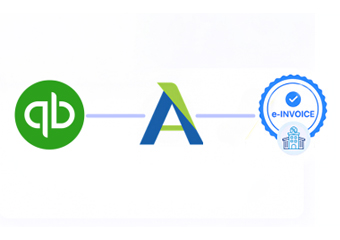
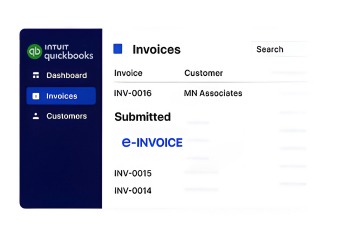
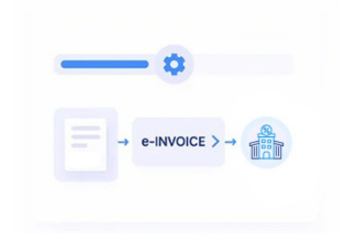
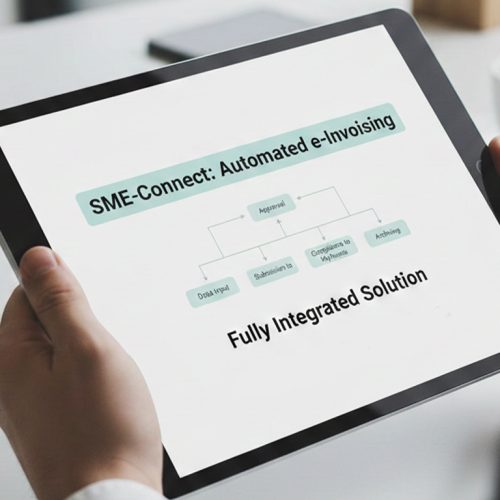
How QuickBooks Invoices Move Through the Luxembourg Workflow
- Invoice Information Transfer: Invoice details created in QuickBooks are securely passed into Advintek’s connected processing environment for further handling.
- Data Mapping and Review: Relevant fields are assessed and mapped before the invoice enters the structured electronic document workflow.
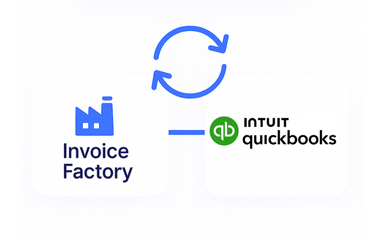
- Validation Through Invoice Factory: Advintek’s Invoice Factory platform reviews invoice information and identifies issues that may affect processing.
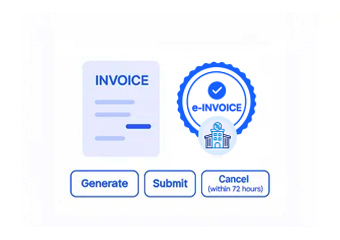
- Structured Document Creation: Approved information is organized into a structured electronic representation suitable for the applicable Luxembourg invoicing process.
- Electronic Exchange: Where the transaction requires an authorized electronic channel, the invoice can be prepared for exchange through suitable infrastructure, including Peppol where applicable. Luxembourg recognizes Peppol for electronic invoices and credit notes under public procurement and concession contracts.
- Status Feedback: Processing information is captured after each relevant stage, helping accounting teams understand whether documents have progressed successfully or need attention.
What Does Advintek’s QuickBooks Connector Actually Do?
QuickBooks remains your accounting environment while Advintek handles the additional processing activities around electronic invoicing. This approach helps businesses introduce structured invoice workflows without moving everyday accounting activities into another environment. The Luxembourg e-invoicing software buyer guide provides further guidance when evaluating integration and compliance capabilities.
- Maps QuickBooks invoice information for structured processing
- Helps identify incomplete or inconsistent invoice details
- Supports electronic document preparation and recipient handling
- Maintains visibility across invoice processing stages
Why QuickBooks Businesses Add Advintek
- Cleaner Invoice Data: Relevant information can be reviewed and organized before an invoice reaches the electronic exchange stage.
- Fewer Process Interruptions: Your accounting team can continue working in QuickBooks while supporting e-invoicing activities operate through the connected layer.
- Controlled Document Preparation: Defined processing rules help invoices move through the required preparation stages in a more consistent manner.
- Easier Exception Identification: Potential issues can be surfaced during processing, helping teams focus their attention where corrective action is actually needed.
- Greater Operational Awareness: Status information provides a clearer picture of invoice activity without requiring teams to manually trace every document.
- Support for Luxembourg Administration: Connected invoice records can be organized with applicable Luxembourg administrative and tax-record expectations in mind, including relevant ACD requirements.
Everything You Need for Luxembourg E-Invoicing in One Place
Data Quality Checks
Review important invoice information before electronic exchange to help identify missing, inconsistent, or unsuitable data at an earlier stage.
Document Progress Tracking
Keep sight of invoices as they move through preparation and exchange, making active documents easier to monitor.
Workflow Exception Handling
Bring attention to processing issues and support the correction cycle so affected invoices can re-enter the workflow properly.
Designed for Businesses Using QuickBooks in the Luxembourg
Advintek supports QuickBooks users across professional services, agencies, consulting firms, and other businesses that want a connected approach to Luxembourg electronic invoicing.
- Continue managing invoices through QuickBooks
- Keep structured invoice information organized
- Follow documents through connected processing stages
- Identify potential issues before electronic exchange
Add Structure Where It Matters
Advintek connects your QuickBooks invoice workflow with Luxembourg electronic invoicing processes, helping manage structured document preparation and exchange without replacing your existing accounting environment.
QuickBooks for accounting. Advintek for connected e-invoicing.
Ready e-Invoice System
Frequently Asked Questions QuickBooks e-Invoicing Luxembourg
Can QuickBooks manage Luxembourg e-invoicing requirements by itself?
QuickBooks supports invoice creation and accounting activities, but businesses may require additional capabilities for structured electronic document preparation, validation, recipient handling, and transmission. Advintek provides a connected layer around QuickBooks to support these activities while allowing the accounting team to continue using its existing software environment.
What does QuickBooks e-invoicing integration involve in Luxembourg?
The integration connects invoice information created in QuickBooks with a structured electronic invoicing workflow. Advintek can organize the available data, apply relevant validation checks, prepare the electronic document, support its delivery through an appropriate channel, and provide processing information for better workflow visibility.
Can I continue creating invoices directly in QuickBooks?
Yes. QuickBooks can remain the primary environment for creating invoices and managing everyday accounting activities. Advintek works alongside that process, taking the relevant invoice information into its connected workflow for preparation, checking, electronic exchange, and status management.
How does QuickBooks invoice automation work with Advintek?
Advintek receives relevant QuickBooks invoice information and moves it through a defined electronic invoicing workflow. The process can include data mapping, information checks, structured document preparation, recipient handling, and electronic exchange. For applicable Luxembourg public procurement and concession transactions, Peppol is an authorized electronic invoice transmission route.
What happens when a QuickBooks invoice contains incorrect information?
The relevant issue can be identified during the processing and review stages before successful electronic exchange. Your team can correct the underlying information in QuickBooks, after which the updated invoice can be passed through the connected workflow again for further checking and processing.