

Compliance That Fits Microsoft Dynamics Business Central Users
How Microsoft Dynamics e-Invoicing Works with Advintek
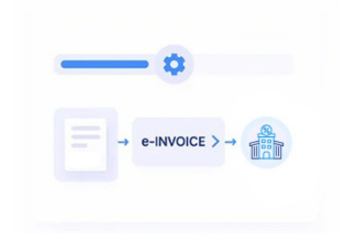
- Transaction Information Gathering: Relevant invoice, customer, sales, service, and tax information is collected from Microsoft Dynamics 365 Business Central records.
- Data Quality Assessment: Invoice information is reviewed for completeness and consistency before entering the electronic document workflow.
- Electronic Document Structuring: Relevant information is arranged into structured invoice data suitable for the applicable Luxembourg process.
- Recipient Details Confirmation: Customer or public-sector recipient information is matched with the appropriate invoice and transaction.
- Transmission Processing: Applicable documents can follow the appropriate electronic transmission route for the relevant Luxembourg transaction.
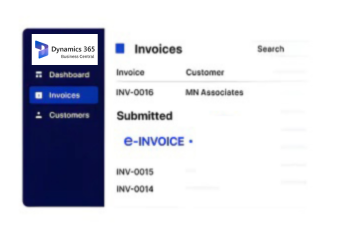
- Invoice Activity Recording: Processing information can remain associated with Business Central records for continued reference and operational visibility.
What Does Microsoft Dynamics Connector Actually Do?
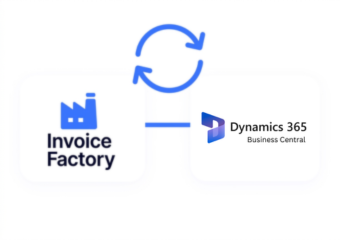
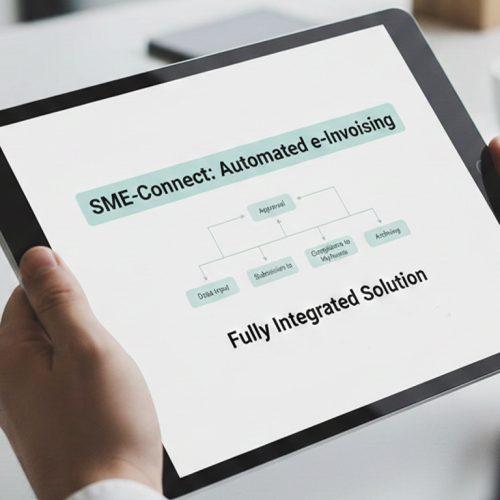
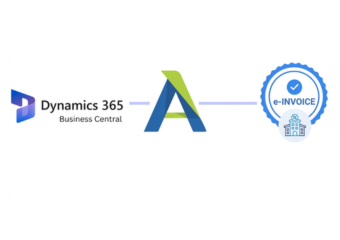
Microsoft Dynamics 365 Business Central manages core financial and transaction information, while Advintek adds an electronic invoicing layer for applicable Luxembourg workflows. Invoice information can be prepared, reviewed, structured, and processed while retaining its connection with the originating business records.
- Structures Business Central invoice information
- Reviews relevant fields before processing
- Supports applicable electronic transmission workflows
- Retains processing details with source records
Practical Advantages for Microsoft Dynamics 365 Business Central Invoice Operations
- Less Repetitive Review — Relevant invoice information can be assessed earlier, helping teams identify issues before further processing.
- Improved Data Organization — Billing details can remain structured across Business Central records and electronic invoice documents.
- More Accurate Recipient Handling — Customer and recipient information can stay associated with the correct invoice and business transaction.
- Quicker Issue Detection — Incomplete or inconsistent information can be recognized during processing before documents advance further.
- Better Workflow Awareness — Teams can follow invoice activity and identify records requiring attention without relying on disconnected tracking.
- Stronger Record Association — Electronic invoice information can remain connected with relevant Business Central records for ongoing reference.
Complete Control Over Luxembourg E-Invoicing Workflows in One Platform
Pre-Processing Checks
Relevant invoice information can be reviewed before documents enter the applicable electronic invoicing workflow.
Status-Based Monitoring
Teams can identify invoice activity, processing outcomes, and records requiring further action.
Transaction Record Matching
Electronic invoice details can be assessed against associated Business Central transaction information for consistency.
Built for Microsoft Dynamics Business Central Users Luxembourg
Luxembourg’s electronic invoicing framework covers applicable public procurement and concession transactions. Relevant electronic invoices can use the Peppol network for automated exchange, while permitted alternative procedures may also be available through MyGuichet.lu.
- Supports structured invoices for applicable transactions
- Organizes information around Luxembourg requirements
- Supports applicable Peppol transmission workflows
- Accommodates permitted MyGuichet.lu procedures
With Microsoft Dynamics 365 Business Central Set-Up
Prepare your Business Central workflows for applicable Luxembourg e-invoicing requirements.
Advintek supports diverse platforms for Luxembourg e-invoicing workflows.
Ready e-Invoice System
Frequently Asked Questions Microsoft Dynamics e-Invoicing Luxembourg
Can Microsoft Dynamics 365 Business Central invoice information be prepared for public-sector transactions?
Yes. Relevant Microsoft Dynamics 365 Business Central sales, customer, service, and invoice information can be organized for applicable public-sector electronic invoicing workflows, allowing documents to follow the appropriate structured format and transmission process.
How are Microsoft Dynamics 365 Business Central customer records used during invoice preparation?
Customer information from Microsoft Dynamics 365 Business Central can provide the recipient context required during electronic invoice preparation. Relevant details can be associated with the corresponding invoice and transaction to support accurate document handling.
What happens when an invoice needs attention before transmission?
Invoice information can be reviewed during processing to identify incomplete or inconsistent details. Records requiring correction can be addressed before continuing through the applicable electronic invoicing workflow, helping reduce avoidable processing interruptions.
Can Microsoft Dynamics 365 Business Central retain the context behind electronic invoices?
Relevant invoice activity can remain associated with underlying Microsoft Dynamics 365 Business Central transactions and financial records. This helps teams understand the business context behind processed documents when reviewing invoice history or investigating individual records.
Can different Microsoft Dynamics 365 Business Central invoicing activities use the same electronic workflow?
Applicable invoicing activities can be handled through defined electronic workflows while Microsoft Dynamics 365 Business Central continues managing the underlying business records. This provides a consistent processing approach without requiring teams to abandon their existing financial operations.