

Compliance Built for Automated Invoice Operations
How Microsoft Power Automate Carries Invoice Data Through Workflows
- Business Event Detection: Relevant sales, service, order, or billing events can trigger the configured invoice workflow within connected applications.
- Information Collection: Required customer, transaction, tax, and invoice information is gathered from the appropriate business records.
- Data Assessment: Collected information can be reviewed for completeness and consistency before entering structured invoice preparation.
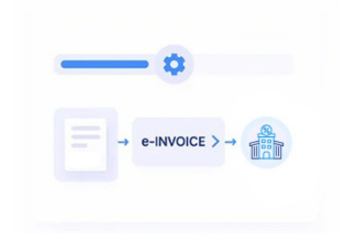
- Electronic Document Formation: Suitable information is organized into a structured electronic invoice representation for the applicable Luxembourg process.
- Transmission Workflow: Prepared documents can proceed through an appropriate electronic exchange route based on transaction and recipient requirements.
- Processing Feedback: Relevant status information can be returned to connected workflows, helping teams identify successful processing or records needing attention.
Extending Microsoft Power Automate for Luxembourg Invoice Processing
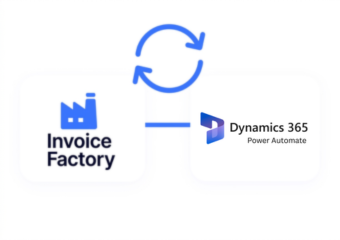
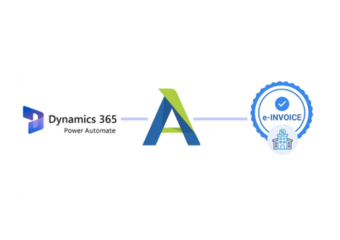
Microsoft Power Automate orchestrates automated business processes across applications and data sources. Advintek adds invoice-specific processing capabilities around those workflows, helping transform relevant business information into structured electronic invoices for applicable Luxembourg e-invoicing requirements.
- Automates collection of invoice source information
- Applies checks before electronic document processing
- Supports structured Luxembourg invoice preparation
- Maintains workflow status across processing stages
Operational Value From Microsoft Power Automate Invoice Automation
- Reduced Manual Data Collection — Relevant invoice information can be gathered automatically from connected business records and applications.
- More Consistent Processing — Defined workflow actions help apply the same invoice preparation sequence across recurring business scenarios.
- Earlier Information Review — Missing or inconsistent data can receive attention before documents progress toward electronic exchange.
- Better Workflow Coordination — Invoice activities can be coordinated between business applications without requiring teams to manually transfer information.
- Clearer Exception Awareness — Processing issues can be surfaced through workflow activity, helping teams focus on records requiring intervention.
- Improved Record Continuity — Invoice processing information can remain associated with the business records that initiated the workflow.
Complete Control Over Luxembourg E-Invoicing Workflows in One Platform
Error Detection and Resolution Support
Relevant invoice and business fields can be checked during configured processing stages before further action occurs.
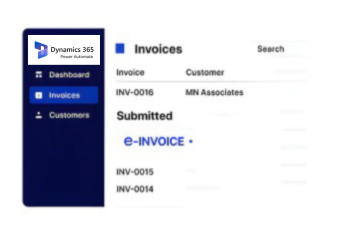
Dashboard and Reporting
Teams can review automated activities and identify invoices requiring correction, review, or additional processing.
Dedicated e-Invoicing Support
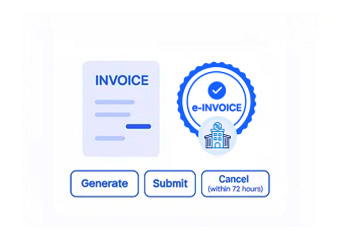
Source information can be organized into structured invoice data suitable for applicable electronic document workflows.
Luxembourg E-Invoicing Requirements Within Microsoft Power Automate
Advintek works alongside Microsoft Power Automate to prepare relevant business information for Luxembourg electronic invoicing processes. For applicable public-sector transactions, structured electronic invoices and recognized exchange routes can be supported according to the relevant transaction context.
- Supports structured electronic invoice preparation
- Organizes information around applicable requirements
- Accommodates relevant Peppol exchange workflows
- Preserves source data throughout processing
Work for Luxembourg E-Invoicing
Automate invoice preparation across your connected business processes.
Businesses using Microsoft Power Automate with ERP, CRM, accounting, or operational platforms can use Advintek for Luxembourg e-invoicing workflows.
Ready e-Invoice System
Frequently Asked Questions Power Automate e-Invoicing Luxembourg
What business events can initiate an invoice workflow through Microsoft Power Automate?
Depending on the configured process, invoice workflows can begin when relevant sales, service, order, billing, or record changes occur. Advintek can then receive applicable information for structured invoice preparation, allowing automated processes to coordinate business data with electronic invoicing activities.
Why use Microsoft Power Automate alongside an e-invoicing processing layer?
Power Automate is useful for orchestrating activities between applications, while an e-invoicing layer can handle invoice-specific preparation and processing requirements. Combining these roles allows organizations to retain automated business workflows while giving electronic invoice information a dedicated processing path.
How can Power Automate workflows respond when invoice processing requires attention?
Processing information can be returned to connected workflows so relevant records can be identified for review. This allows configured business processes to respond to exceptions, update associated records, or direct specific invoices toward appropriate corrective actions.
When should invoice information be checked during an automated workflow?
Information can be reviewed before the electronic document advances toward transmission. Checking relevant customer, transaction, tax, and invoice fields earlier helps identify incomplete or inconsistent records before they create issues later in the processing sequence.
Where can applicable Luxembourg electronic invoices be exchanged?
The appropriate transmission route depends on the transaction and recipient. For applicable public-sector electronic invoicing, recognized channels such as Peppol may be used where relevant. Advintek can prepare invoice information for the applicable electronic exchange process.