

QuickBooks Desktop Data That Shapes Customer Billing
How QuickBooks Desktop E-Invoicing Works with Advintek
- Billing Record Reviewed: Relevant QuickBooks Desktop billing information is identified and prepared for further invoice processing.
- Customer Information Matched: Customer details are connected with the appropriate billing transaction for accurate invoice preparation.
- Supporting Details Gathered: Terms, shipping information, adjustments, and related references are brought together for invoice preparation.
- Invoice Content Prepared: Required billing information is organized into a structured invoice record for processing.
- Required Checks Completed: Prepared invoice details are reviewed carefully before the document moves toward exchange.
- Exchange Activity Followed: Invoice processing progress is monitored through the applicable Luxembourg e-invoicing route.
What Does the QuickBooks Desktop Connector Enable?
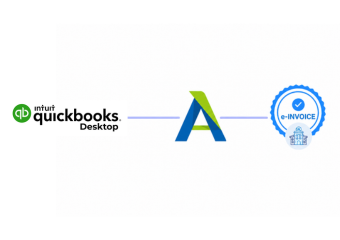
QuickBooks Desktop supports billing and financial records, while Advintek adds invoice processing for Luxembourg requirements without disrupting established accounting workflows.
- Keep established desktop accounting workflows
- Connect billing records with processing
- Organize customer invoice information
- Support Luxembourg invoice exchange
How QuickBooks Desktop Details Improve Billing
- Invoice Presentation: Existing invoice templates can help maintain familiar customer-facing information while relevant details are prepared for the Luxembourg invoicing workflow.
- Sales Confirmation: Sales receipt information can provide useful evidence of completed customer transactions when reviewing related billing activity.
- Credit Adjustments: Credit memos help identify reductions or corrections connected with earlier customer transactions and can provide important context during invoice review.
- Customer Instructions: Customer messages can preserve relevant billing notes that may help teams understand specific requirements associated with particular customer transactions.
- Billing Terms: Configured terms provide useful commercial information that can help keep invoice details aligned with established customer arrangements.
- Delivery Context: Shipping details can add useful information when invoices relate to goods delivered as part of a customer sale.
Which QuickBooks Desktop Details Deserve A Final Review
Credit Adjustments
Check related credit memos when invoice amounts reflect previous billing corrections.
Customer Terms
Confirm applicable customer terms before prepared invoice information moves forward.
Delivery References
Review shipping information when customer invoices include delivered products.
How QuickBooks Desktop Fits Luxembourg Invoicing Requirements
For applicable Luxembourg public procurement and concession transactions, businesses must follow the relevant e-invoicing process. Advintek can organize information from QuickBooks Desktop for structured invoice preparation and support exchange through appropriate channels, including Peppol where applicable.
- Prepare invoices from desktop accounting
- Organize Luxembourg invoice information
- Support applicable Peppol exchange
- Monitor invoice processing activity
Into Luxembourg E-Invoicing
Keep familiar desktop accounting processes while adding structured support for Luxembourg invoice preparation and exchange.
Connect your accounting workflow with Luxembourg invoicing.
Ready e-Invoice System
Frequently Asked Questions QuickBooks Desktop e-Invoicing Luxembourg
Can QuickBooks Desktop credit memos affect invoice preparation?
Credit memos can provide important adjustment information when customer balances or previous billing amounts have changed. Reviewing related credit memo records can help ensure that invoice information reflects applicable adjustments and that the prepared document remains consistent with the underlying QuickBooks Desktop customer transaction history.
Can QuickBooks Desktop invoice templates be used with Luxembourg e-invoicing?
Invoice templates control how billing information is presented within QuickBooks Desktop, while structured e-invoicing requires information to be prepared according to the applicable process. Advintek can work with the underlying billing information rather than requiring businesses to abandon their established QuickBooks Desktop invoice workflow.
Why are shipping details useful for QuickBooks Desktop invoices?
Shipping information can provide useful delivery context for invoices involving physical products. Reviewing shipping details alongside customer billing information can help teams confirm that the invoice corresponds with the relevant sale and includes appropriate information connected with the goods supplied.
Can customer messages provide useful information during invoice processing?
Yes. Customer messages can contain billing notes, delivery instructions, or other transaction-specific information maintained in QuickBooks Desktop. While not every message belongs on an invoice, relevant information can provide useful context when teams review customer transactions before preparing documents for Luxembourg invoice processing.
How can QuickBooks Desktop support businesses with frequent customer adjustments?
Businesses that regularly manage customer adjustments can use records such as credit memos and revised billing information to maintain transaction history. A connected processing workflow can use the updated information during invoice preparation, helping teams review changes before the resulting invoice progresses through the Luxembourg process.