

Luxembourg E-Invoicing Solutions for Compliance Success

QuickBooks Enterprise Accounting
Get Started For Automate Luxembourg E-Invoicing
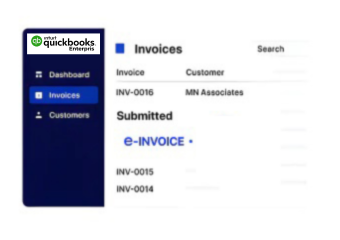
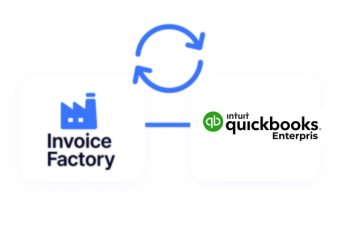
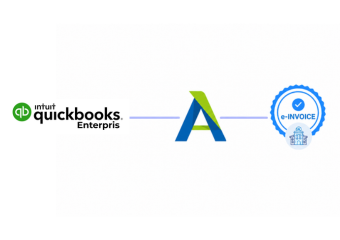
Advintek connects QuickBooks Enterprise accounting records with Luxembourg e-invoicing workflows for organized invoice processing.
Powerful features

QuickBooks Enterprise Accounting Records Supporting Invoices

How QuickBooks Enterprise Accounting Moves Toward Invoicing

  • Accounting Activity Identified: Relevant financial transactions are selected from QuickBooks Enterprise records for invoice preparation.
  • Customer Accounts Reviewed: Customer information and related balances are checked carefully to support accurate invoice preparation.
  • Transaction Context Gathered: Jobs, classes, accounts, and supporting references provide additional context for billing activities.
  • Invoice Details Arranged: Relevant accounting information is organized into structured invoice records for further processing.
  • Luxembourg Checks Applied: Invoice information is reviewed against applicable Luxembourg requirements before document exchange.
  • Document Progress Followed: Processing activity remains visible as prepared invoices progress through established exchange workflows.
Affordable pricing for SMEs

Simple, Transparent Pricing

Starting from as low as

RM 20

What QuickBooks Enterprise Keeps At The Center

QuickBooks Enterprise continues to serve as the accounting environment for financial records, customer activity, reporting, and business transactions. Advintek adds invoice-focused processing around that information, helping businesses prepare Luxembourg invoices while maintaining the accounting structure already used by their finance teams.

What is Advintek's e-invoice connector for Zoho Books
sap e invoicing for compliance sap einvoicing sap einvoice

Where QuickBooks Enterprise Accounting Adds Invoice Context

  • Account Classification: Chart of accounts information helps connect invoice transactions with the appropriate financial categories already maintained within QuickBooks Enterprise.
  • Customer Position: Customer balances and account records provide useful context when finance teams review invoice amounts against existing customer activity.
  • Job Information: Job costing details can help relate customer billing to project expenses, labor, and other costs associated with specific work.
  • Class Visibility: Class tracking can help distinguish invoice-related activity across departments, locations, or other internal business segments.
  • Reporting Support: Financial reports can provide broader visibility into invoice activity and help accounting teams understand related business results.
  • Multi-Company Context: QuickBooks Enterprise supports multiple company operations, helping businesses maintain financial information across separate business entities where applicable.
Powerful features

What Finance Teams Can Check Before Invoice Processing

Built for UAE Businesses Using QuickBooks

Why QuickBooks Enterprise Users Add Invoice Processing Support

Advintek extends the existing accounting environment rather than replacing it, giving QuickBooks Enterprise users a focused way to handle invoice preparation alongside customer, job, reporting, and financial activities.

Bring QuickBooks Enterprise Accounting Forward

With Luxembourg E-Invoicing

Connect established accounting records with structured Luxembourg invoice processing while keeping your finance workflows familiar.

Add focused e-invoicing support around QuickBooks Enterprise accounting.

Ready e-Invoice System

0 % ACD

Frequently Asked Questions QuickBooks Enterprise e-Invoicing Luxembourg

Can QuickBooks Enterprise sales orders support Luxembourg invoice preparation?

Sales orders can provide useful commercial information behind customer billing, including products, quantities, and order references. Where these records contribute to invoice creation, Advintek can help carry the relevant information into the Luxembourg invoicing workflow while keeping the original QuickBooks Enterprise transaction context available.

Inventory records can provide product names, quantities, item references, and related information used during customer billing. Connecting these details with invoice preparation can help businesses maintain clearer invoice lines and reduce differences between the products recorded in QuickBooks Enterprise and those included on the prepared invoice.

Payment terms maintained within QuickBooks Enterprise can provide useful context for customer invoices. Where applicable, these terms can be considered during invoice preparation so that relevant commercial information remains aligned with the customer and transaction records already maintained by the accounting team.

Recurring transactions can support businesses that issue invoices regularly for similar services or ongoing customer arrangements. Relevant recurring billing information can provide a starting point for invoice preparation, while the connected workflow can organize the resulting information for applicable Luxembourg invoicing requirements.

If invoice information requires correction, the underlying QuickBooks Enterprise record can be reviewed and updated by the accounting team. The corrected information can then move through the connected processing workflow again, allowing the invoice details to be checked before the document proceeds toward its intended exchange.