

Compliance That Fits Xero Users.
How Xero e-Invoicing Works with Advintek
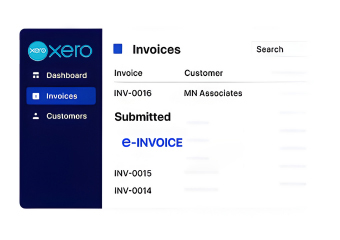
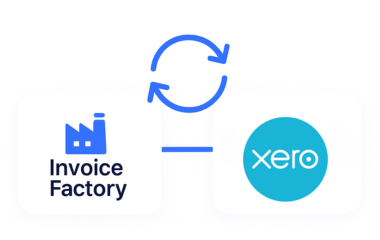
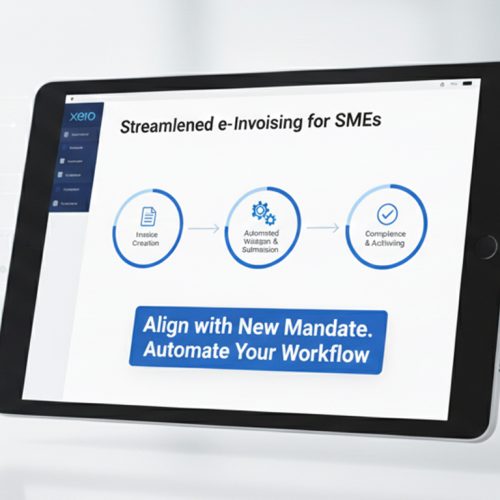
- Invoice Origin: Your team continues creating invoices inside Xero while relevant invoice information is transferred into Advintek’s connected processing environment.
- Information Enrichment: Invoice data is reviewed and supplemented with the information needed for the applicable structured invoicing workflow.
- Rule-Based Review: Advintek’s Invoice Factory platform checks relevant invoice information before it advances through the process.
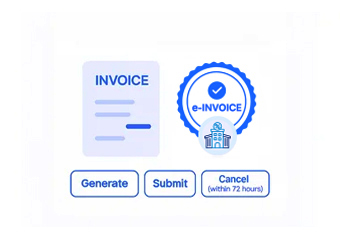
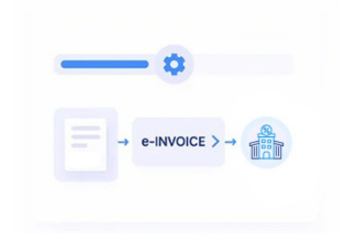
- Document Assembly: The available invoice data is arranged into a structured electronic representation suitable for the intended Luxembourg workflow.
- Recipient Exchange: Where the transaction requires electronic delivery through an authorized route, the invoice can be prepared for Peppol-based exchange. Luxembourg permits Peppol for electronic invoices and credit notes under applicable public procurement and concession contracts.
- Processing Feedback: Status information and processing outcomes are captured so your team can identify completed documents and invoices requiring attention.
What Does Advintek Add to Xero?
Xero handles your everyday accounting activities. Advintek adds the specialized processing layer needed to connect those activities with Luxembourg e-invoicing workflows. Explore the Luxembourg e-invoicing software buyer guide to understand the capabilities to consider when selecting an integration approach.
- Prepares Xero invoice information for structured electronic exchange
- Helps identify incomplete or inconsistent invoice information
- Supports recipient and transmission-route handling
- Keeps invoice processing activity visible across the workflow
Why Xero Users Choose Advintek
- Fewer Data Gaps: Invoice information can be reviewed before transmission, helping identify incomplete details while corrections are still easier to manage.
- One Connected Process: Xero remains part of the familiar accounting environment while electronic invoicing activities take place through the connected Advintek layer.
- Better Exception Awareness: Teams can identify invoices requiring attention instead of relying on disconnected checks or manual follow-ups.
- Clearer Document Movement: Processing information helps users understand where an invoice stands as it moves toward its intended recipient.
- Structured Information Handling: Invoice data follows defined processing rules, supporting more consistent electronic document preparation.
- Administrative Alignment: Relevant invoice records can be organized in line with applicable Luxembourg administrative and tax-record requirements, including ACD requirements where relevant.
Everything You Need for Luxembourg E-Invoicing in One Place
Pre-Transmission Review
Check invoice information before electronic exchange to identify missing details and potential issues while the document is still within your workflow.
Processing Status Control
Follow documents as they progress through preparation and transmission, giving accounting teams a clearer view of active invoice activity.
Exception Resolution Support
Bring attention to invoices that need correction and help teams return them to the workflow after the relevant information has been addressed.
Designed for Businesses Using Xero in the Luxembourg
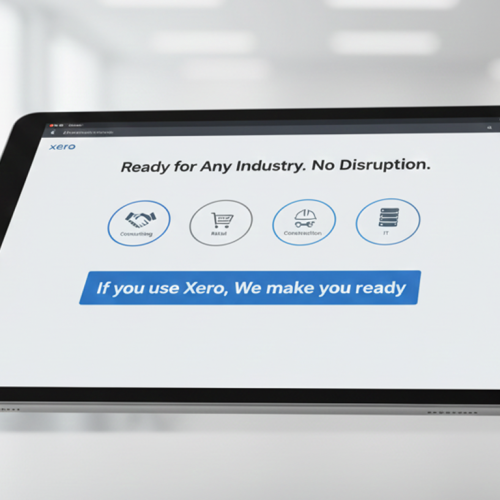
Advintek supports Xero users across professional services, consulting, agencies, and diverse business environments seeking a structured, reliable approach to Luxembourg e-invoicing while maintaining their established accounting workflows and operational processes.
- Keep Xero as your familiar invoicing workspace
- Bring structure to electronic invoice preparation
- Follow invoice activity from one connected process
- Handle exceptions before they become workflow interruptions
While Compliance Moves Forward
Advintek connects Xero invoice information with structured Luxembourg e-invoicing processes, helping your team manage e-document requirements without rebuilding its accounting environment.
Xero for accounting. Advintek for connected compliance.
Ready e-Invoice System
Frequently Asked Questions Xero e-Invoicing Luxembourg
Can Xero handle Luxembourg e-invoicing requirements on its own?
Xero provides accounting and invoice creation capabilities, but businesses may need an additional layer for structured electronic invoice preparation, validation, recipient handling, and transmission. Advintek connects with Xero to provide these supporting capabilities while keeping the accounting workflow familiar. For applicable public procurement transactions, Luxembourg provides authorized electronic transmission through Peppol or MyGuichet.lu.
What does Xero e-invoicing integration involve in Luxembourg?
The integration connects invoice information created in Xero with a structured electronic invoicing workflow. Advintek can review the available information, prepare the invoice for the applicable format and recipient, support electronic exchange, and return processing information to help teams monitor the document journey.
Can my team continue creating invoices in Xero?
Yes. Xero can remain the familiar environment for creating and managing invoices. The connected Advintek layer works around that process by taking relevant invoice information forward for structured preparation, validation, transmission, and status handling rather than requiring your team to recreate invoices in another system.
How does Xero support Luxembourg electronic invoice automation?
Xero supplies the invoice information, while Advintek manages the connected processing activities around that information. The workflow can review data, prepare the structured electronic document, identify the appropriate transmission route, and capture processing results. For applicable public-sector transactions, Peppol is an authorized electronic invoice channel in Luxembourg.
What if information in a Xero invoice is incomplete?
The invoice can be identified during the relevant review stage before successful electronic exchange. The team can examine the flagged information, make the necessary correction within Xero, and allow the updated invoice to move through the connected workflow again for further processing.