

Compliance Built for Revenue and Sales Workflows
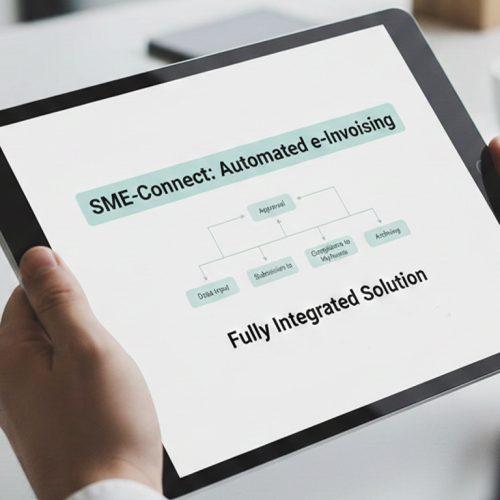
How Sales-Led E-Invoicing Works with Advintek
- Sales Record Capture: Customer, order, product, and relevant transaction information is gathered from Microsoft Dynamics 365 Sales.
- Billing Information Assembly: Applicable sales details are brought together to create a suitable foundation for invoice preparation.
- Information Quality Review: Relevant customer, invoice, and tax fields are assessed before the electronic document is generated.
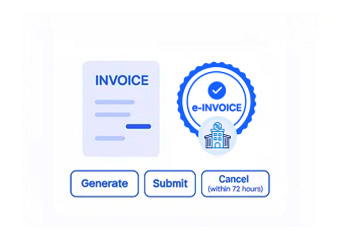
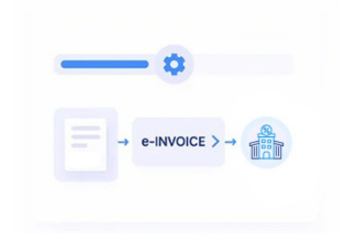
- Structured Invoice Preparation: Approved information is organized into the required structured electronic invoice representation for the applicable Luxembourg process.
- Electronic Document Transmission: Eligible invoices can proceed through an appropriate electronic transmission route for the relevant transaction.
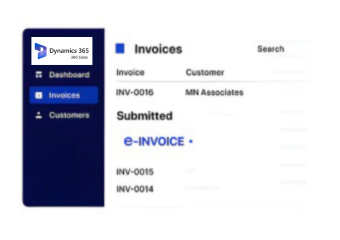
- Sales Record Continuity: Processing information can remain associated with the originating sales records for continued reference after document handling.
What Does the Dynamics 365 Sales Connector Enable?
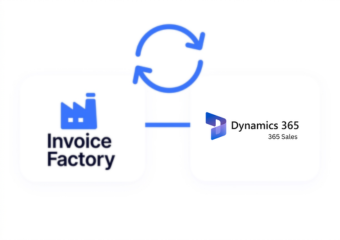
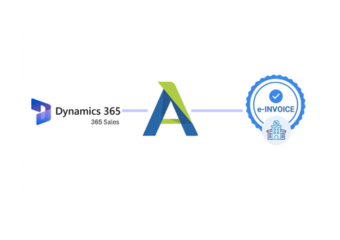
Microsoft Dynamics 365 Sales provides a central environment for customer, opportunity, order, and commercial information. Advintek adds electronic invoice processing around those records, helping transform relevant sales information into structured documents for applicable Luxembourg workflows.
- Converts sales information into invoice-ready data
- Reviews recipient details before document preparation
- Supports suitable electronic transmission routes
- Keeps invoice activity tied to sales records
Why Sales Teams Choose Advintek
- Smoother Billing Preparation — Customer and transaction information can be brought together before an electronic invoice enters processing.
- Stronger Recipient Matching — Billing details can remain associated with the customer and sales transaction generating the invoice.
- Consistent Product Information — Product descriptions, quantities, and related commercial details can remain aligned throughout invoice preparation.
- Earlier Data Attention — Relevant information can be checked before incomplete records create issues during later processing stages.
- Improved Sales Visibility — Teams can review invoice-related activity while retaining access to the underlying commercial context.
- Better Record Traceability — Electronic invoice information can remain associated with customer and sales records for future reference.
Complete Control Over Luxembourg E-Invoicing Workflows in One Platform
Sales Data Verification
Relevant customer and transaction information can be checked before entering the electronic invoice workflow.
Recipient Review
Billing and recipient details can be examined against the associated sales record before document processing.
Invoice Activity Tracking
Teams can follow invoice-related processing activity while retaining visibility into the originating sales information.
Luxembourg E-Invoicing Support Around Microsoft Dynamics 365 Sales
Advintek provides an electronic invoicing layer around Microsoft Dynamics 365 Sales, helping businesses organize sales-derived invoice information for applicable Luxembourg requirements. Where electronic invoicing applies to relevant public-sector transactions, suitable structured document and transmission processes can be supported.
- Prepares sales data for structured invoices
- Supports applicable Luxembourg invoice workflows
- Accommodates relevant Peppol transmission processes
- Keeps commercial records available for reference
Simplify structured invoicing across sales operations
Advintek supports Microsoft Dynamics 365 Sales Luxembourg e-invoicing workflows.
Reliable E-Invoicing Workflow with Advintek.
Ready e-Invoice System
Frequently Asked Questions Microsoft Dynamics e-Invoicing Luxembourg
What sales information can be used when preparing Luxembourg electronic invoices?
Relevant customer, order, product, quantity, tax, and transaction information maintained through Microsoft Dynamics 365 Sales can contribute to invoice preparation. Advintek can organize applicable data into a structured electronic document while retaining its connection with the originating sales activity.
Why should customer and invoice details remain associated during processing?
Maintaining the relationship between customer information and invoice data gives finance and sales teams clearer context when reviewing documents. It can also help identify the originating transaction and recipient information when an invoice requires attention during processing.
When is sales information checked before an electronic invoice proceeds?
Relevant information can be reviewed before the invoice advances to the applicable electronic transmission stage. Checking customer, transaction, tax, and invoice fields earlier can help identify incomplete or inconsistent information while there is still an opportunity to correct the underlying record.
Where can applicable Luxembourg electronic invoices be routed?
The appropriate electronic transmission route depends on the transaction and recipient. For applicable Luxembourg public-sector invoicing, electronic documents can use recognized channels such as Peppol where appropriate, allowing structured invoice information to be exchanged through an established electronic network.
How can sales teams retain visibility after an invoice leaves the sales workflow?
Invoice activity can remain associated with the originating Microsoft Dynamics 365 Sales records, allowing teams to reference customer and transaction context alongside processing information. This helps provide a clearer view of what happened to an invoice without separating it from the underlying sales activity.