

Compliance Built for Shopify POS Retail Workflows
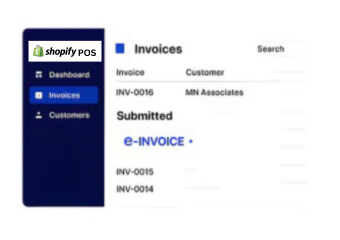
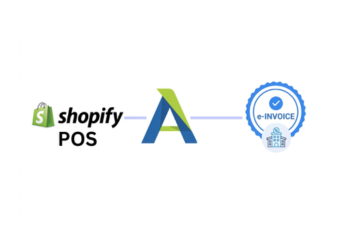
How Shopify POS E-Invoicing Works with Advintek
- Transaction Capture: Completed Shopify POS sales are identified for applicable invoice processing.
- Sales Data Collection: Product, quantity, customer, location, and order information is gathered.
- Transaction Review: Available sales details are assessed before invoice preparation begins.
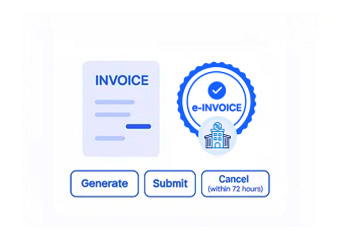
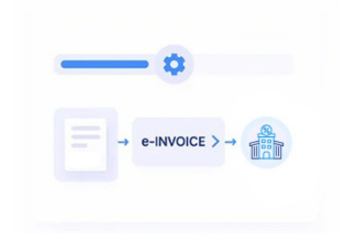
- Invoice Structuring: Suitable information is arranged into the applicable structured electronic invoice format.
- Recipient Routing: The prepared document can follow an appropriate electronic exchange route.
- Processing Record Update: Relevant invoice outcomes can remain associated with the originating Shopify POS transaction.
What Does the Shopify POS Connector Enable?
Shopify POS manages retail transactions, products, customer information, locations, and order activity. Advintek adds invoice-focused processing around relevant sales records, supporting Luxembourg invoice preparation while allowing Shopify POS to remain part of the existing retail workflow.
- Uses Shopify POS sales records
- Organizes retail transaction information
- Supports structured invoice preparation
- Retains relevant order references
Why Shopify POS Businesses Choose Advintek
- Clearer Retail Transaction Context — POS sales information can remain connected with invoice records, helping teams understand the purchase behind each billing document.
- Better Product Line Accuracy — Product and variant information can provide useful details for preparing consistent invoice lines.
- Improved Customer Association — Available customer information can help connect invoices with the appropriate purchaser and transaction.
- Stronger Store-Level Visibility — Location references can provide useful context when businesses manage transactions across multiple retail operations.
- Easier Order Review — Order status and related records can help teams understand completed, adjusted, or reviewed transactions.
- More Useful Sales History — Historical POS information can support invoice investigation and comparison with earlier customer transactions.
Everything You Need for Luxembourg E-Invoicing Workflows in One Platform
Sales Transaction Checks
Completed sales information can be reviewed before invoice preparation proceeds.
Product Detail Verification
Product and variant information can be checked against the originating POS transaction.
Customer Record Review
Available customer information can be assessed for relevant invoice recipient details.
Built for Shopify POS Businesses Luxembourg
Shopify POS can continue handling retail sales, products, customers, orders, and store activity while Advintek manages additional invoice processing. Applicable workflows can be aligned with Luxembourg requirements overseen by the Administration des contributions directes (ACD).
- Supports applicable Luxembourg invoice structures
- Uses Shopify POS sales information
- Accommodates suitable Peppol exchange
- Aligns with applicable ACD requirements
Through Structured Invoice Processing
Give Shopify POS sales records a clearer route through applicable Luxembourg invoice processes.
Advintek supports Shopify POS invoice processing for retail transactions.
Ready e-Invoice System
Frequently Asked Questions Shopify POS e-Invoicing Luxembourg
What Shopify POS sales information can feed an invoice?
Transaction details, products, variants, quantities, customer information, location references, and order data can contribute to invoice preparation. Advintek can organize applicable Shopify POS information around the completed sale while supporting workflows aligned with relevant Luxembourg requirements.
How can product variants affect Shopify POS invoice details?
Product variants can carry distinct information such as product names, quantities, or selected options. Keeping relevant variant information associated with the transaction can help ensure invoice lines reflect what was actually sold through the Shopify POS environment.
Can Shopify POS transactions from different locations be distinguished?
Yes. Location information can provide useful context for identifying where a transaction originated. Retaining the relevant store or location reference can help businesses review invoices according to their retail operation and distinguish activity across multiple Shopify POS locations.
Why might order status matter before preparing an invoice?
Order status can help indicate whether a transaction has been completed, adjusted, or otherwise changed. Reviewing applicable status information before invoice preparation can help teams avoid processing records that do not represent the intended final sales activity.
Who can use Shopify POS transaction history during invoice review?
Finance, accounting, retail operations, and customer service teams can use relevant transaction history when reviewing invoice information. Historical sales records can provide supporting context for investigating customer purchases, comparing transactions, or resolving questions about processed invoice documents and applicable ACD requirements.